You know that feeling: you just spent an hour in a Zoom call, everyone talked, ideas flew around, and now you’re staring at a blank Notion page trying to remember what the hell you actually agreed on. Who was supposed to write the draft? When is the next review?
That’s the exact pain point Meetly Notes steps into — not with a flashy promise to “revolutionize meetings,” but by quietly doing the boring part very well: turning a messy conversation into a clean set of notes, action items, follow-ups, and a searchable transcript. And doing it while you keep talking naturally.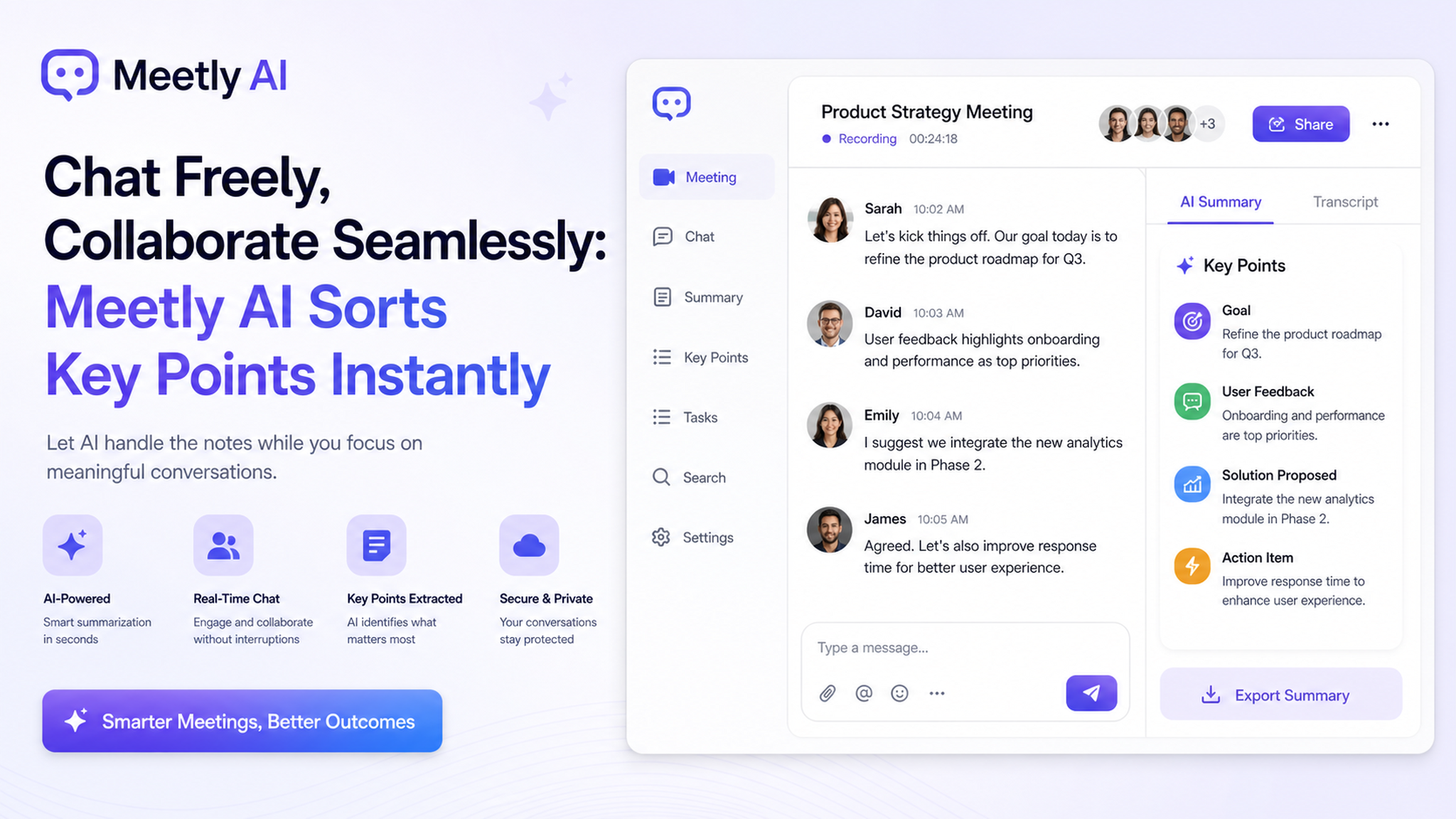
No more “the meeting is recorded but no one checks it”
Let’s be real: most meeting transcription tools are like that gym membership you never use. You set them up, they record everything, and then the file sits in some folder untouched. Meetly’s approach is different because it doesn’t just dump a word-for-word transcript — it sorts key points for you. Instantly.
In a real test a few days ago, I hopped on a 45-minute product sync call. Three of us debating prioritization, throwing out random Slack links, some heated moments. After the call, I opened Meetly. The summary was surprisingly tight: it pulled out the final decision (we’re shipping feature A first), the blocker (design resource), and a follow-up (someone needs to ping the dev lead by Friday).
That’s not “AI magic” — it’s just a tool that actually understands what an action item looks like in a conversation.
How it works when you’re the chaotic one (most of us)
Younger teams — startups, side projects, research groups — tend to run meetings that are slightly all over the place. We don’t do the “agenda first, minutes after” ritual. We just talk, and somehow the decisions emerge. But that also means the quieter people or the ones who zoned out for three minutes get lost.
Meetly solves this without forcing structure on you. You don’t have to set up templates or tag speakers beforehand. Just start the meeting, and it silently captures:
- Who said what (transcript with speaker labels)
- High-level summary (it’s usually 3-5 bullet points)
- Action items extracted as a clear list
I also really appreciate the “next steps” view after the call — instead of scrolling through the entire transcript, you see a clean table: Task, Owner, Deadline. That alone saves me 10-15 minutes of post-meeting admin per call.
The tradeoff you should know
Look, no tool is perfect. After a week of daily use, here’s where Meetly falls a little short:
1. It’s best with English conversations. If your team mixes languages (like Chinese + English in the same sentence), the transcription quality drops a bit. It’s still readable, but you’ll see occasional weirdness in code-switching phrases.
2. The summary isn’t always perfectly contextual. Sometimes it pulls a “key point” that was actually a side joke. You can manually edit the summary afterwards, but it’s one extra click.
3. If your meeting is super technical (lots of internal jargon, acronyms, code references), you’ll need to train it a bit. It won’t automatically know what “PR” means in your team context (Pull Request vs Public Relations).
These aren’t dealbreakers, but they’re worth knowing before you expect perfection.
Who should actually try this?
If you’re in a team that meets 2+ times a week and actually wants to move faster — without becoming the person who chases everyone for notes — Meetly is worth a shot. It’s especially good for:
- Distributed teams where someone always misses context
- Client calls where you want to send a quick summary right after
- Standups that inevitably turn into long tangents
- Anyone who forgets what they said two hours ago (hi, it’s me)
On the flip side, if your meetings are mostly casual catch-ups with no real decisions or deliverables, you probably don’t need any tool. And if you’re already using a platform like Otter or Fireflies and it works for you — switching might not be worth the friction unless Meetly’s “instant sorting” genuinely feels faster in your workflow.
One last thought
I know “AI meeting assistant” is a crowded space. But the small things — like how fast the transcription appears (1–2 seconds after the call ends), the clean interface that doesn’t overwhelm you with buttons, and the fact that it extracts action items without being told what to look for — make Meetly feel less like generic SaaS and more like a tool built by people who actually hate post-meeting admin.
Give it a try on your next messy team call. You might be surprised how nice it feels to just leave the meeting, close your laptop, and have the notes ready before you even pour your second coffee. That’s the real win.
Comments
Leave a Comment