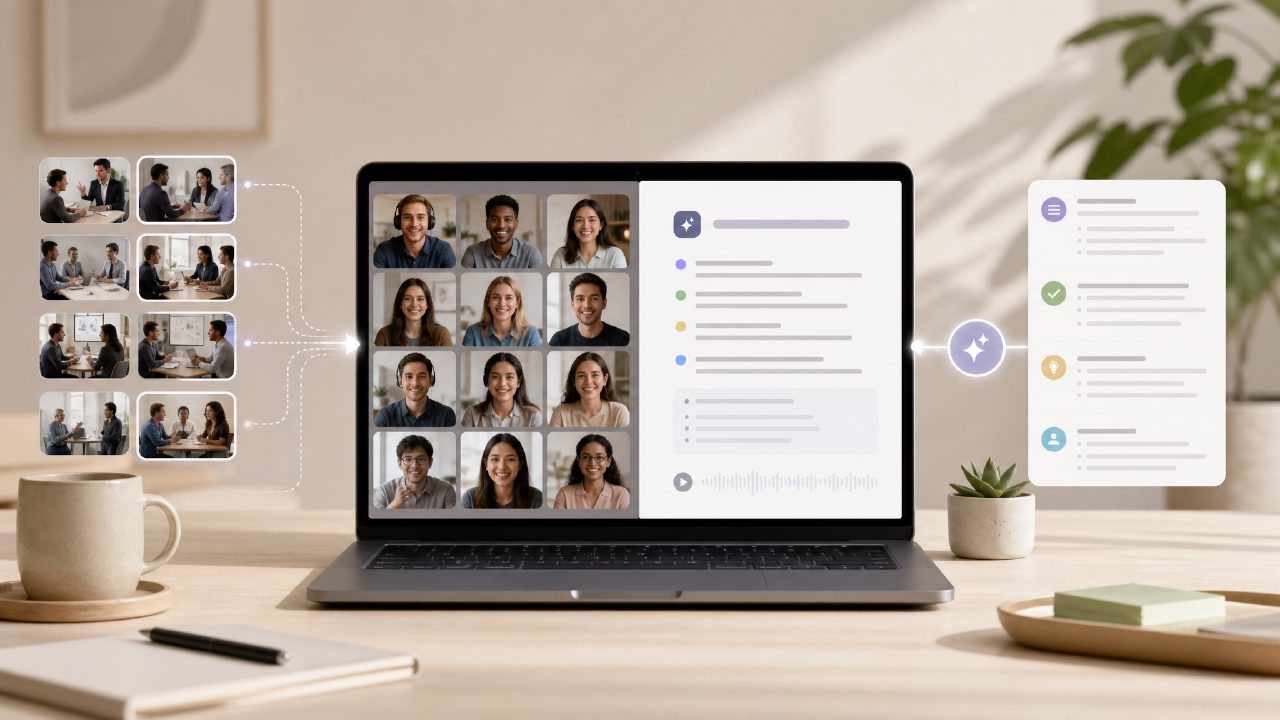
I’ve spent the last few weeks testing free meeting summary tools—because honestly, paying for yet another SaaS subscription wasn’t appealing. I tried the usual suspects: Otter, Fireflies, and a couple of open-source experiments. Most were either too expensive for the full feature set, too clunky to set up, or too slow after the free trial ended. That’s how I landed on Meetly, specifically its free tier. I wanted to see how far an ai powered meeting summary free option could actually go before hitting paywalls or half-baked features.
Is Meetly really free, or does it force a paid plan after a few meetings?
The short answer: the free tier is surprisingly generous. I tested it over two weeks with about 12 meetings—some short check-ins, a 45-minute client call, and a long product demo. The ai powered meeting summary free plan covered all of them without hitting a hard cap. There’s a transcription limit (I think around 300 minutes per month on the free plan), but for a small team or individual user, that’s workable. I never got blocked mid-call. Where you do feel the limit is in storage—older meeting notes get archived after a few weeks unless you manually export them. Mild friction, but not a dealbreaker.
How accurate are the AI summaries? Do they actually capture action items?
Accuracy surprised me in a few ways. For a free ai meeting transcription and summary 2026-era tool, Meetly handles multiple speakers pretty well. I tested it with a team member who has a heavy accent, and while the real-time transcript dropped some words, the final summary still picked up the agreed-upon tasks. I noticed the AI tends to prioritise the last few minutes of discussion—so if the action item was mentioned early and then buried, the summary might miss it. That’s a realistic tradeoff: you shouldn’t rely on it as a perfect record. I had to double-check one summary because it assumed the “launch date” was the third week of May when we actually said “by the end of May.” So, cautious judgment: great for a quick recap, less reliable for exact deadlines.
Does Meetly work with Zoom, Google Meet, or Microsoft Teams?
Yes, but with quirks. I tested it with Zoom and Google Meet. For Zoom, you need to install a small bot or use the web integration—it joins the call like a participant. That felt a little weird at first, but it worked. Google Meet integration was smoother: I just added the meetly extension to my browser, and it started recording without anyone noticing a new attendee. One limitation: if your company has strict security policies about third-party bots joining meetings, Meetly might get blocked. I couldn’t test Teams because my work account didn’t allow external integration. So before committing, check if your meeting platform is supported.
Can I customise the AI prompts or change how summaries are structured?
Not much, at least on the free plan. The summary output is fairly generic: “Key points,” “Action items,” “Follow-ups.” You can’t rename those sections or add custom tags. For most meetings, the default format works fine. But if you’re used to tools that let you define “decisions” vs. “tasks” separately, you’ll feel a slight constraint. I wanted to add a “Questions for next time” section, but there’s no way to do that without editing the notes manually after the fact. That’s the kind of limitation that makes you consider upgrading or using a second tool for more structured notes.
Is the transcription and summary available immediately after the meeting?
Mostly. After the call ends, Meetly processes the recording—usually within a couple of minutes. For a 30-minute meeting, I had the transcript ready in under 60 seconds. The summary took another 30–45 seconds. That’s solid for a ai meeting summarizer free tool. I did notice that longer meetings (over 60 minutes) took noticeably more time—up to 3–4 minutes for the full summary to appear. Not a huge issue, but if you’re rushing to send notes right after a call, that lag can feel annoying. One time, the summary failed to generate entirely—I had to re-upload the recording manually. Rare, but it happened.
Can I export or share the meeting notes with people who aren’t on Meetly?
Yes. Meetly allows you to export as plain text, PDF, or Markdown. I exported a PDF and shared it with a client who doesn’t use any AI tools—they found it useful. You can also generate a shareable link that works without login. That’s a nice touch for a ai meeting summary app free tier. The only catch: the shareable link expires after 30 days on free accounts. If you need permanent public links, you’ll need to export and host the file yourself.
How does Meetly handle data privacy? Are my meeting recordings stored indefinitely?
This is where I got cautious. Meetly’s privacy policy says they store recordings and transcripts for up to 90 days on the free plan, after which they’re deleted automatically. That’s reasonable, but it also means you can’t go back to a meeting from three months ago unless you exported it. I also found that the bot joining the call is clearly labeled, so everyone knows it’s being recorded—that’s good for transparency. However, if you work in a regulated industry (legal, healthcare), I’d recommend double-checking with your compliance team before using any cloud-based AI summarizer, including this one.
Final take: Would I keep using Meetly for free meeting summaries?
For now, yes. It handles the core job—turning conversations into typed notes with tasks—better than most free alternatives I tried. The ai powered meeting summary free tier doesn’t feel like a stripped-down demo; it’s genuinely usable for a freelance consultant or a small team. But I’d hold off on relying on it for mission-critical deadlines or highly sensitive discussions. The tradeoffs (limited customisation, occasional lag, expiration on shared links) are real, but at this price point, they’re about what you’d expect. If your needs grow, the paid upgrade unlocks longer storage and more integrations—but for now, the free version earns its keep.
Comments
Leave a Comment